
The Microsoft 365 Copilot Cost Management API, better known as the Copilot Cowork billing API, is now publicly available. For anyone running a Copilot Cowork rollout, this is the piece that has been missing: a supported way to pull per-user and per-department Cowork spend out of your tenant and do something with it.
Until now, this data existed in the Admin Center, but you could only look at it. You could not query it, automate it, or feed it into your own reporting. That changes today.
How we got here
When I first added the Copilot Agents billing overview to Agent Registry, showing which agents and which users burn the most credits across all Copilot environments, the first question from almost everyone was the same: can you add Cowork billing too?
I went looking. The Cowork cost management endpoints were there, but hidden behind the Neptune licensing codename, with no public API you could call to get per-user Cowork spend. So the answer at the time was no, not without relying on something undocumented.
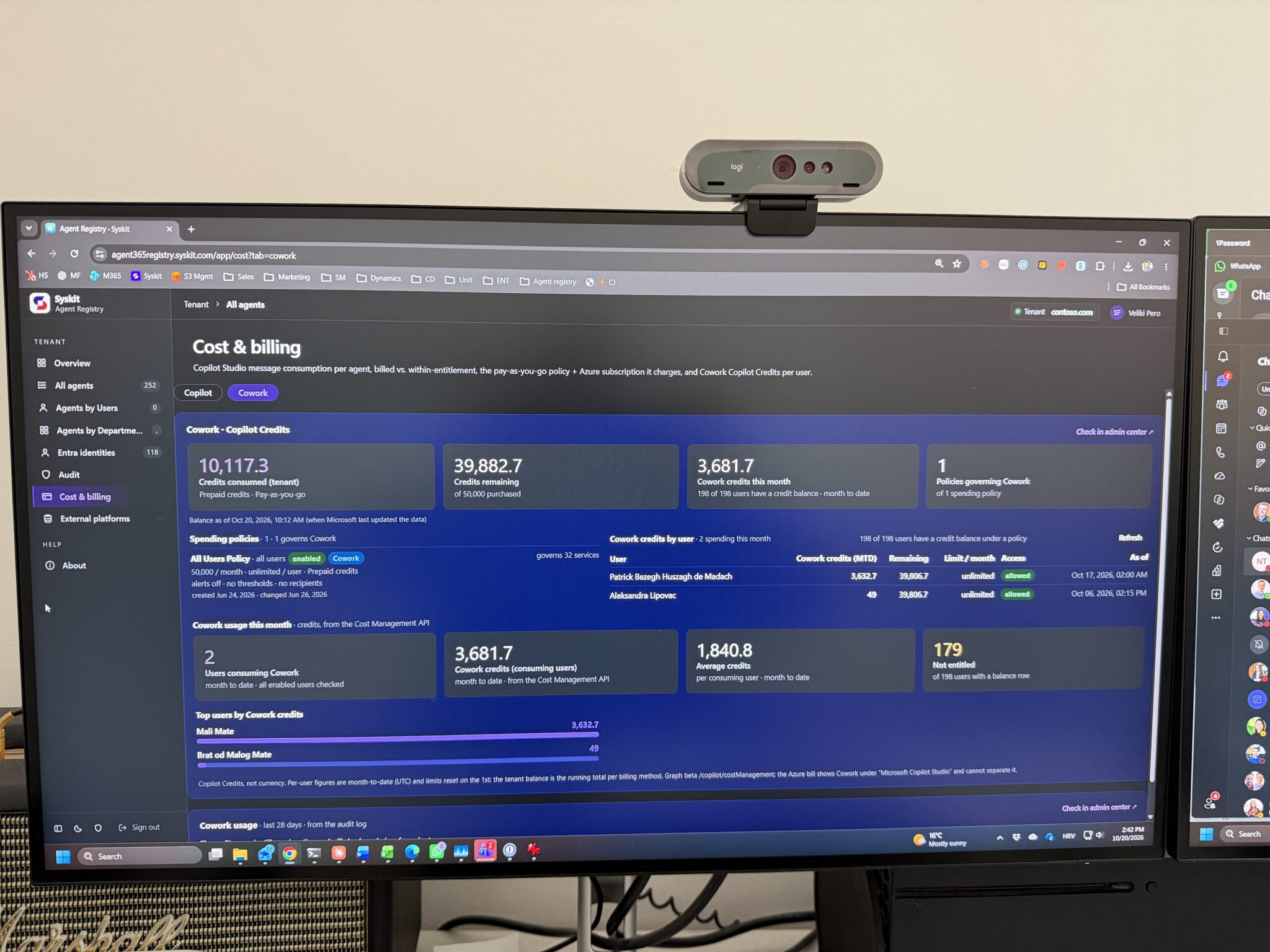
That is no longer the case. Microsoft now lets you programmatically access the Copilot Cowork endpoint and pull out who is using Cowork, how much they are consuming, and which departments are driving the bulk of the spend.
Why this matters for enterprises
Every large organization I talk to wants Copilot Cowork. Very few of them are rolling it out to everyone. The reason is almost always the same: the costs are hard to predict, and nobody wants to explain a surprise bill at the end of the quarter.
The only safe way to manage that risk is visibility. If you can see how much each user and each department is spending, you can set caps, pilot with confidence, and expand in a controlled way. If you cannot, you stay in pilot mode forever.
My expectation is that this API will do more for global Cowork rollouts than any feature announcement. Once finance and IT can see the numbers, the conversation changes from “should we” to “how fast”.
What Microsoft expects you to build with it
Microsoft’s own documentation lists the scenarios the API was designed for. They map neatly onto the questions admins have been asking me for months:
- An administrator sets a monthly credit cap for a pilot group and gets alerted when usage reaches 80 percent.
- An administrator adds or removes a governed service on an existing spending policy.
- A support administrator diagnoses why a user can no longer consume a service by reading that user’s per-service balance.
- A FinOps reader lists the tenant’s enabled spending policies and reviews their configured limits.
So it is not only reporting. You can read balances, manage policies, and build alerting on top of it. The full API details are in Microsoft’s documentation: Microsoft 365 Copilot Cost Management API overview.
Try it without writing any code
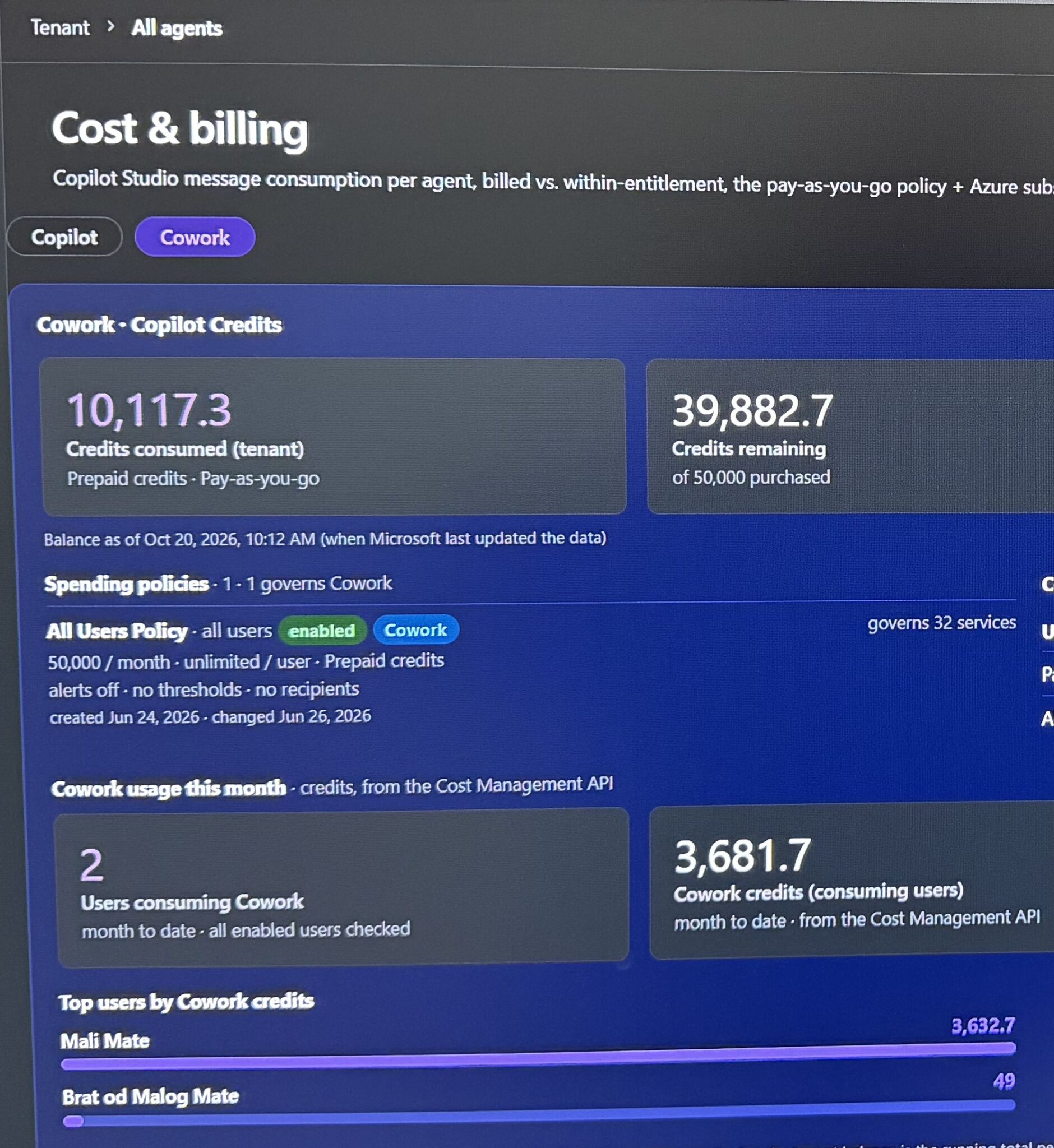
If you want this data from your own tenant but do not have time to build against the API, I have already implemented it in Agent Registry. Connect your tenant and it pulls the Cowork cost data so you can see who is spending what, across users and departments, next to the Copilot Agents billing overview that was already there.
It uses delegated permissions only, so it reads on behalf of the signed-in admin:
- CopilotCostManagement.Read.All
- Policy.Read.All
- Assignment.Read.All
- UserData.Read.All
It is free to try: Agent Registry.
What About the Admin Center?
Some of this is already visible in the Microsoft 365 Admin Center under Copilot > Cowork > Cost management. For a small tenant, that may be all you need.
For a large organization it is not practical. Clicking through a portal to track spend across thousands of users and dozens of departments does not scale, and it cannot feed your existing FinOps or reporting tools. That is why programmatic access matters, and why this release from Microsoft is more than welcome.
If you try the API or the Agent Registry implementation, let me know what you find. I am especially interested in how organizations end up structuring their spending policies once they can actually see the data.
